Loading
Coding is one thing. But can you explain it?
An adaptive learning platform for data science and machine learning. Built for practitioners who want to stay sharp or prepare for interviews.
How it works
α
2.0
β
3.0
Trials
0
Mastery
40
The Inferential represents your mastery of a concept as a beta distribution — not a point estimate. As you review more concepts and answer more practice questions, the app uses Bayesian statistics to update its belief about your mastery of the concept, causing your distribution to shift and tighten intuitively.
Adaptive learning
Review key concepts.
The Inferential covers 400+ concepts across data science and machine learning. The app focuses on what you need to improve on, but also makes sure you stay fresh on what you already know.
Adaptive scheduling
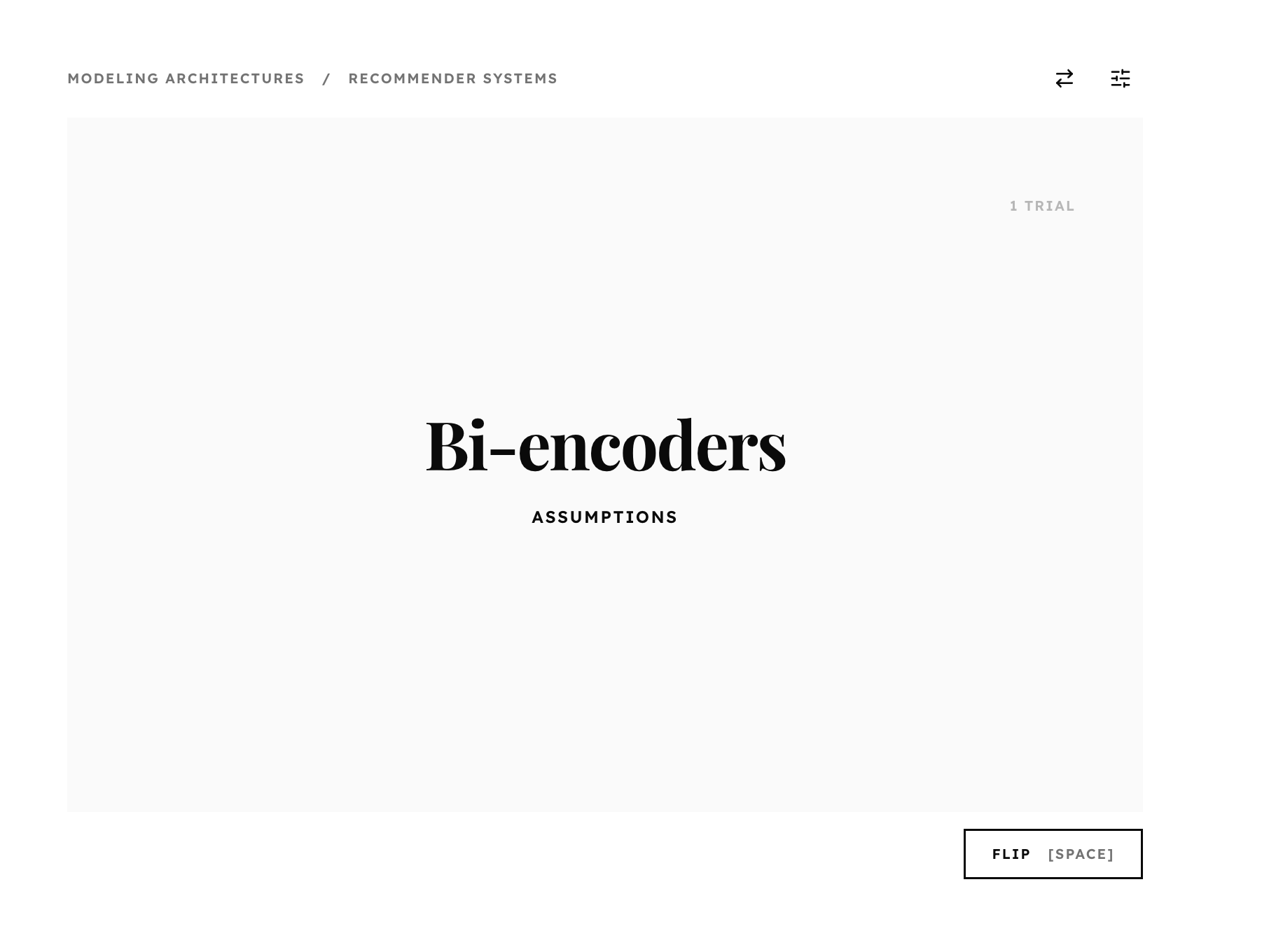
The front of each card shows a concept and a specific dimension of that concept — things like intuition, best practices, edge cases, failure modes, and misconceptions.
- The app prioritizes concepts + dimensions you don't know well and concepts that you haven't seen for a while.
- It also app areas where it doesn't have much evidence yet about your mastery level.
- The app learns continuously — the more concepts you review, the more personalized it becomes.
Bayesian updating
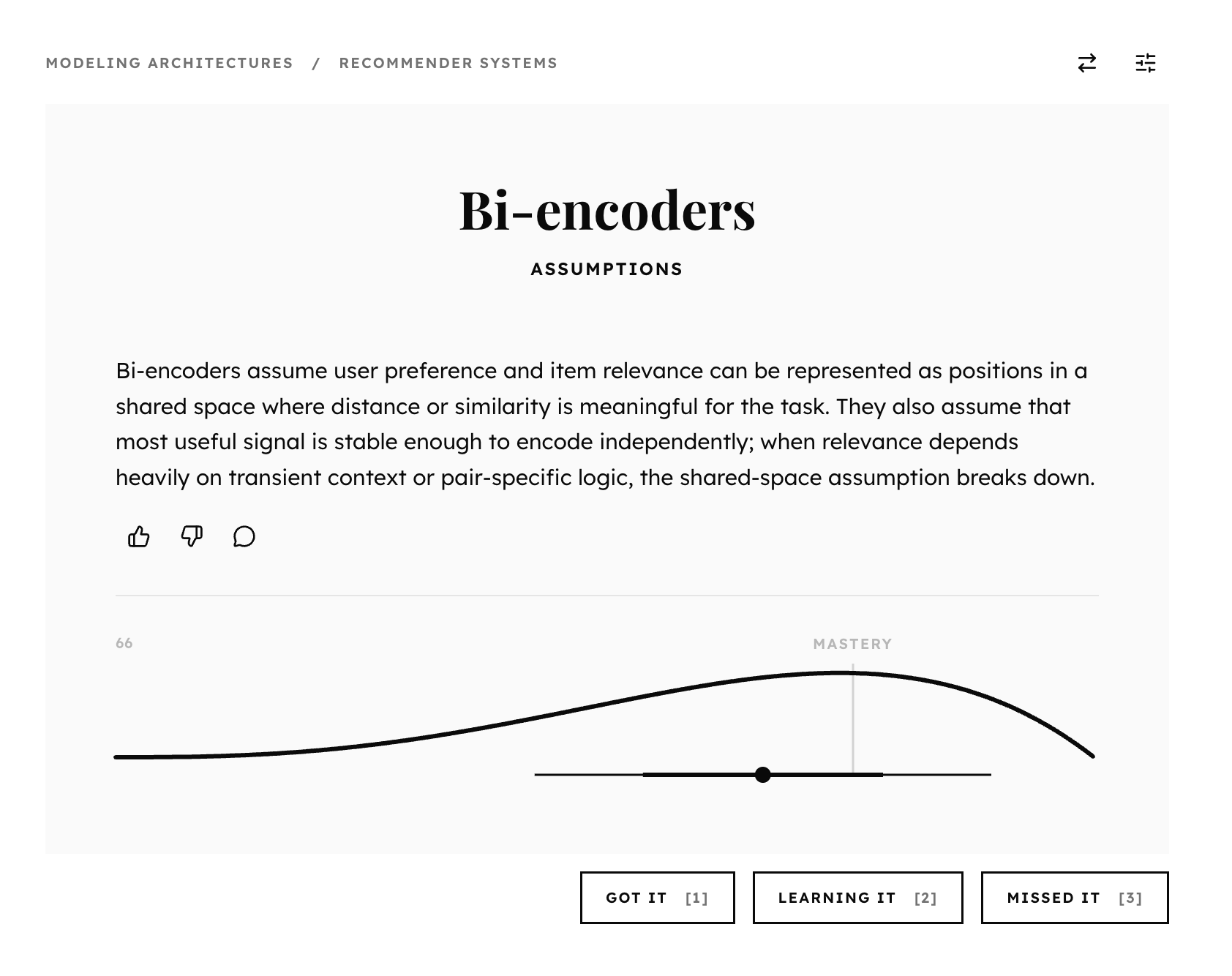
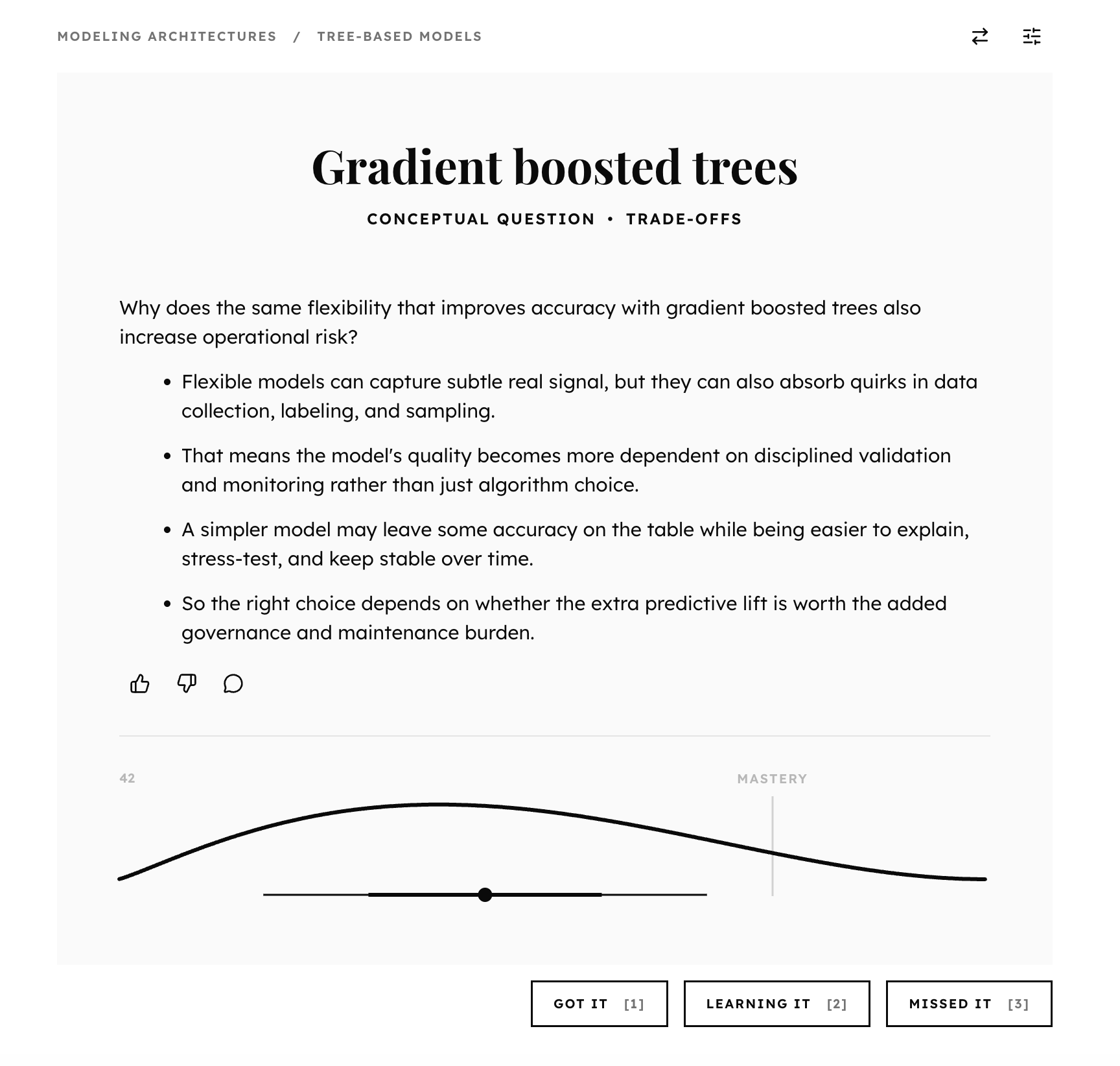
The back of each card shows a concise overview of the concept + dimension. You rate how well you know it, and then the app uses that information to decide what to show you next.
- You self-report your mastery of the concept + dimension: "Got it", "Learning it", or "Missed it".
- The app models your mastery of the concept + dimension as a probability distribution.
- After you respond, the app uses Bayesian statistics to update its beliefs about your mastery.
Conceptual Context
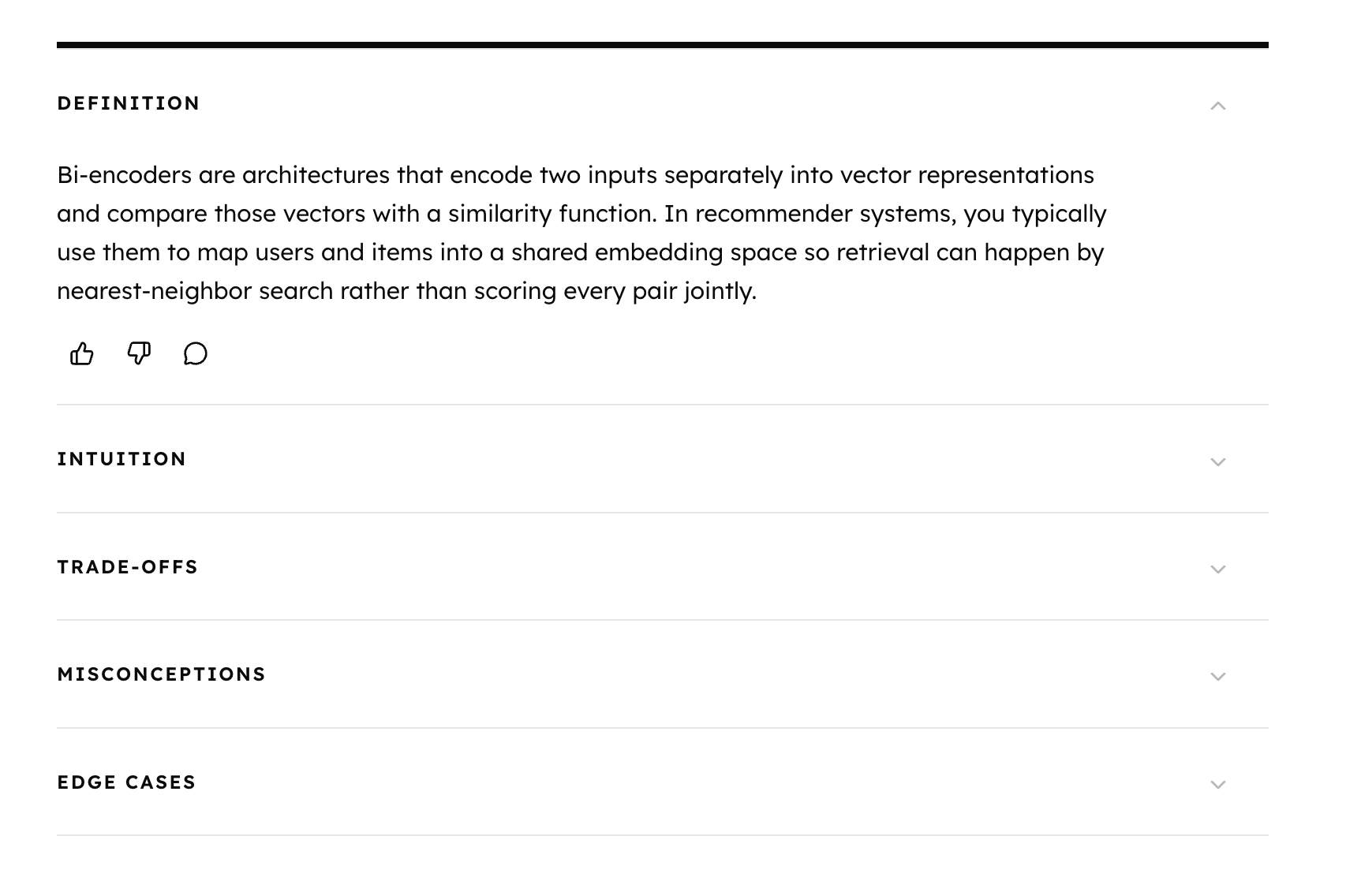
Below each card, you can always read concise overviews of all the other dimensions of the current concept — so you can keep the whole picture in mind while still focusing on one specific angle.
- See concise overviews of all dimensions of the concept without interrupting your review.
- Quick access to the other dimensions helps you consolidate your knowledge — you can remind yourself of the definition or intuition.
Focus your session with filters
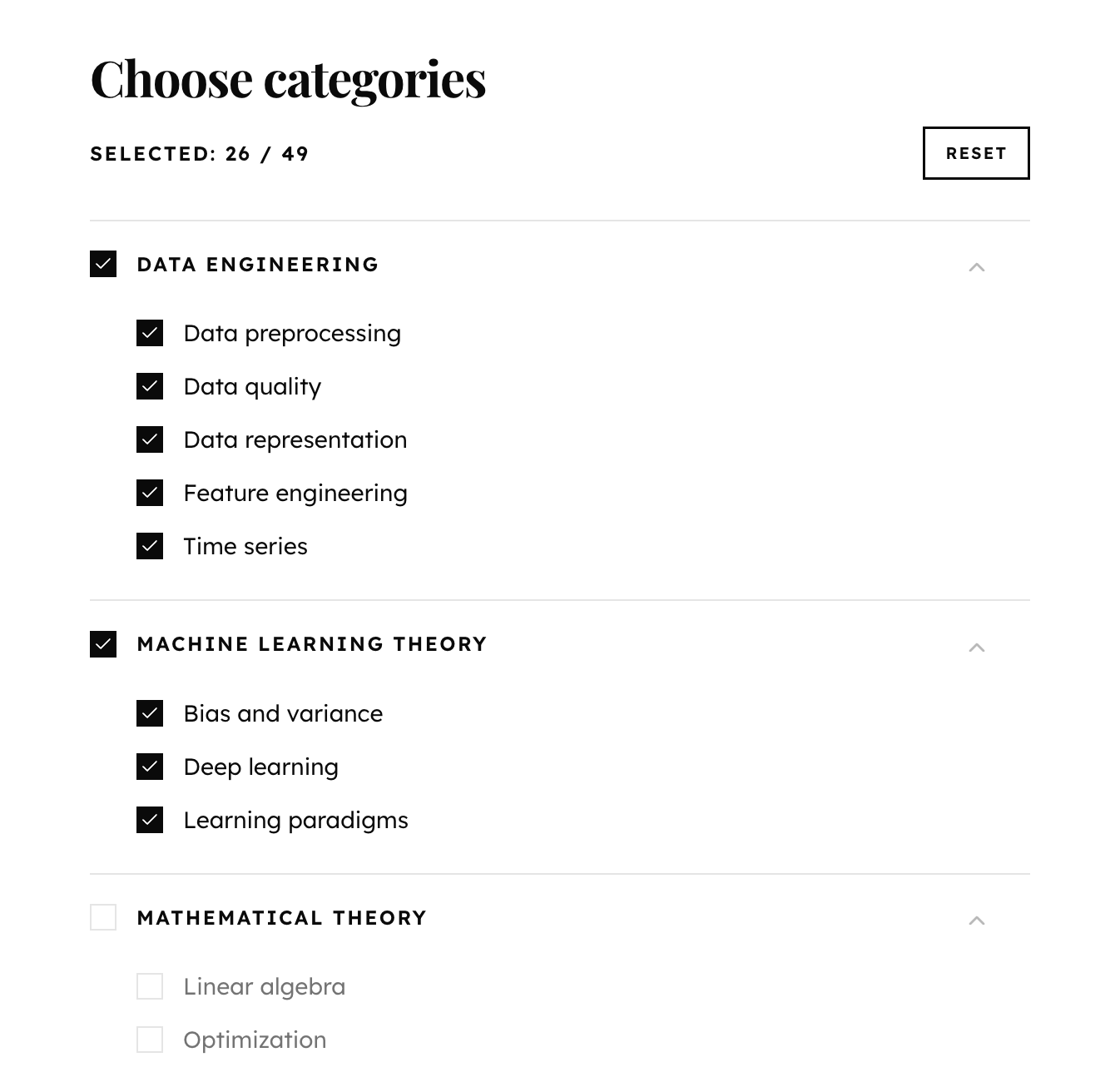
You can focus your review session at any time by choosing specific dimensions or topics or focus on — great for reviewing specific concepts before an interview.
- Filter by dimension and/or topic to focus your review session.
- Within the areas you've chosen to focus on, the app still prioritizes what you need to work on.
- You can switch dimensions and/or topics freely at any time without losing your progress.
Mastery tracking
Track what you’ve mastered.
See intuitive mastery distributions at every level — dimension, concept, subcategory, and category. Track your activity and look up concepts you want to review.
Activity tracking
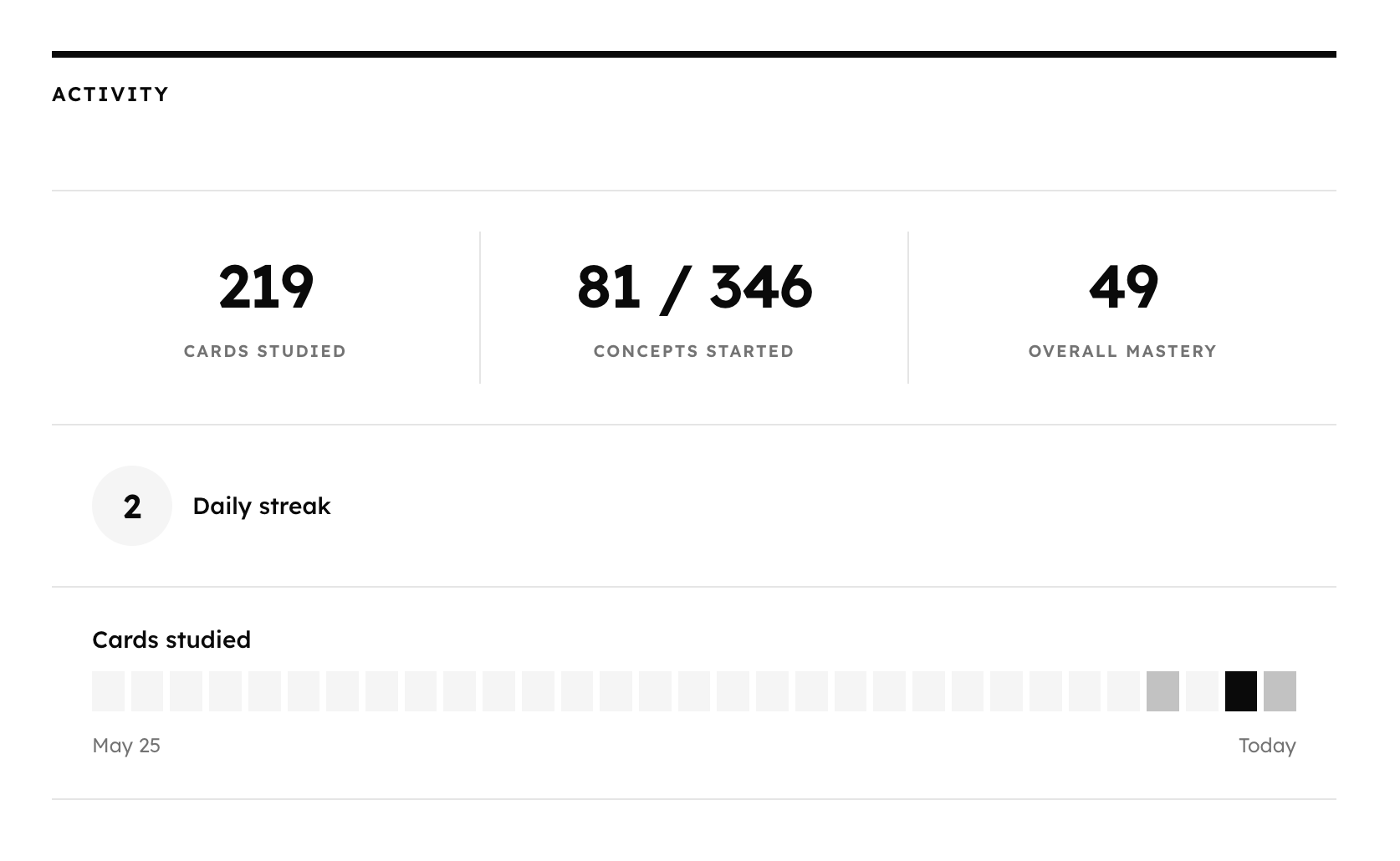
Your mastery page shows your recent activity, your current daily streak, and your mastery distributions for all topics, concepts, and dimensions.
- The app estimates your overall mastery for all concepts and topics using probability distributions.
- It also keeps tracks of how many concepts you review each day and how many you've reviewed at least once.
Dimension-level mastery
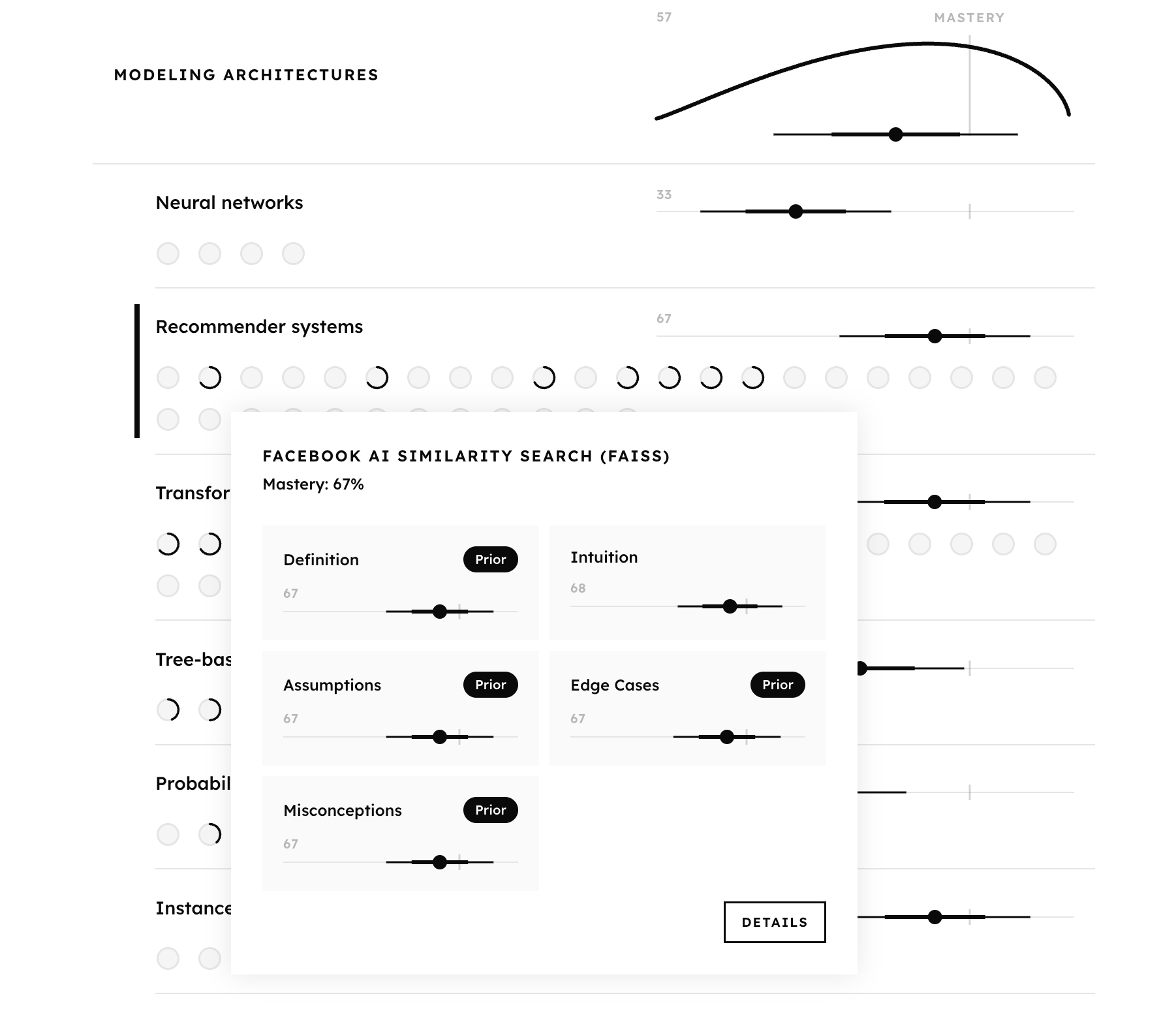
For every concept, the app tracks your mastery of all relevant dimensions. You can see exactly which dimensions you're strong on — and which need work.
- Every dimension of every concept has its own mastery distribution. So does each topic.
- The dimensions vary by concept — it depends on what's relevent.
- If you haven't reviewed a dimension yet, the app shows that your distribution is based on your self-reported familiarity with the topic.
Onboarding calibration
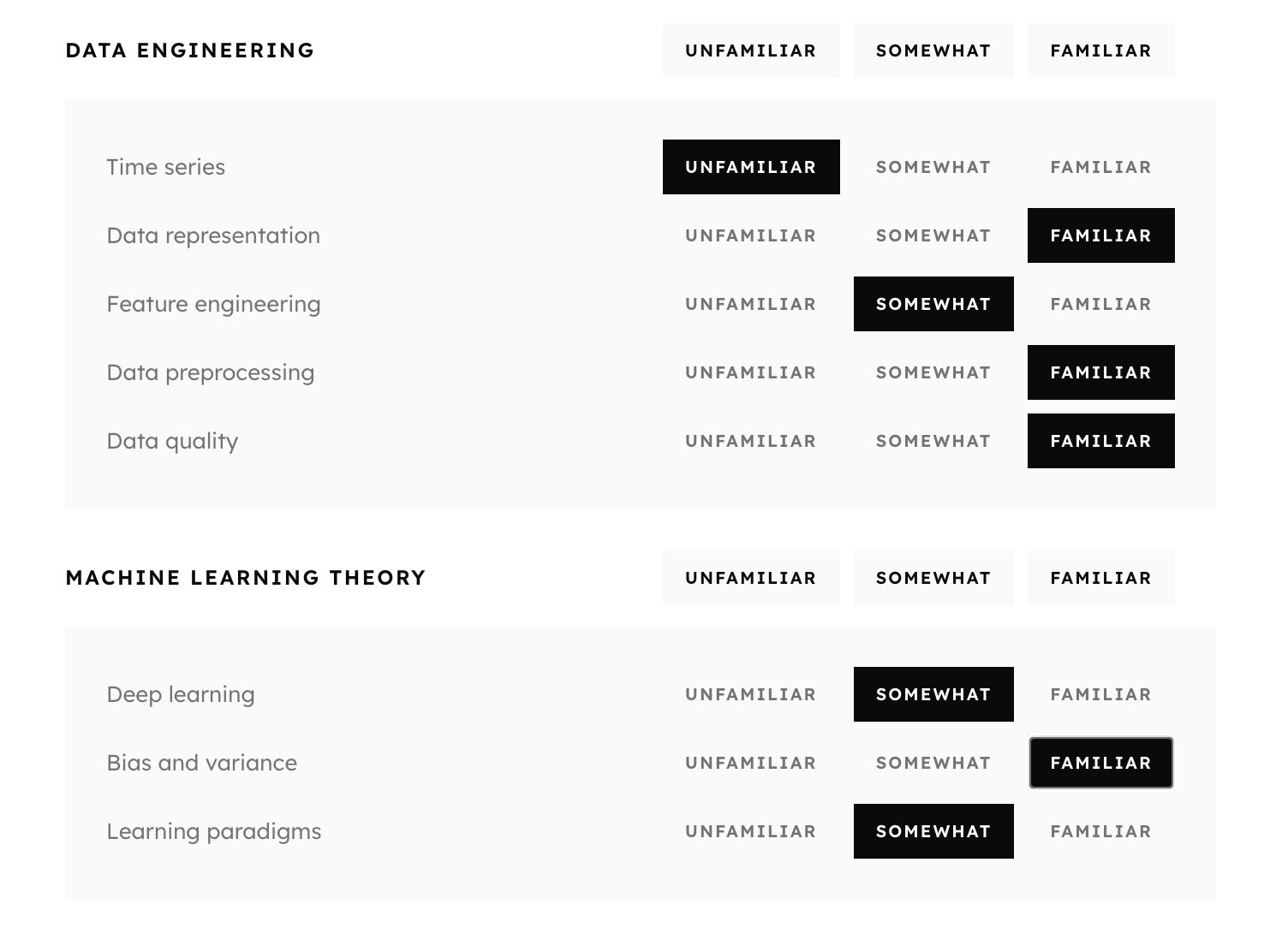
At sign-up, you rate your familiarity with various topics. The app uses this information to decide what to show you next, so it doesn't your time on things you already know well.
- As you review cards, the learning system will update its initial beliefs about your mastery based on your responses.
- You can update your familiarity with any topic at any time — your earned mastery is always preserved.
Look up any concept
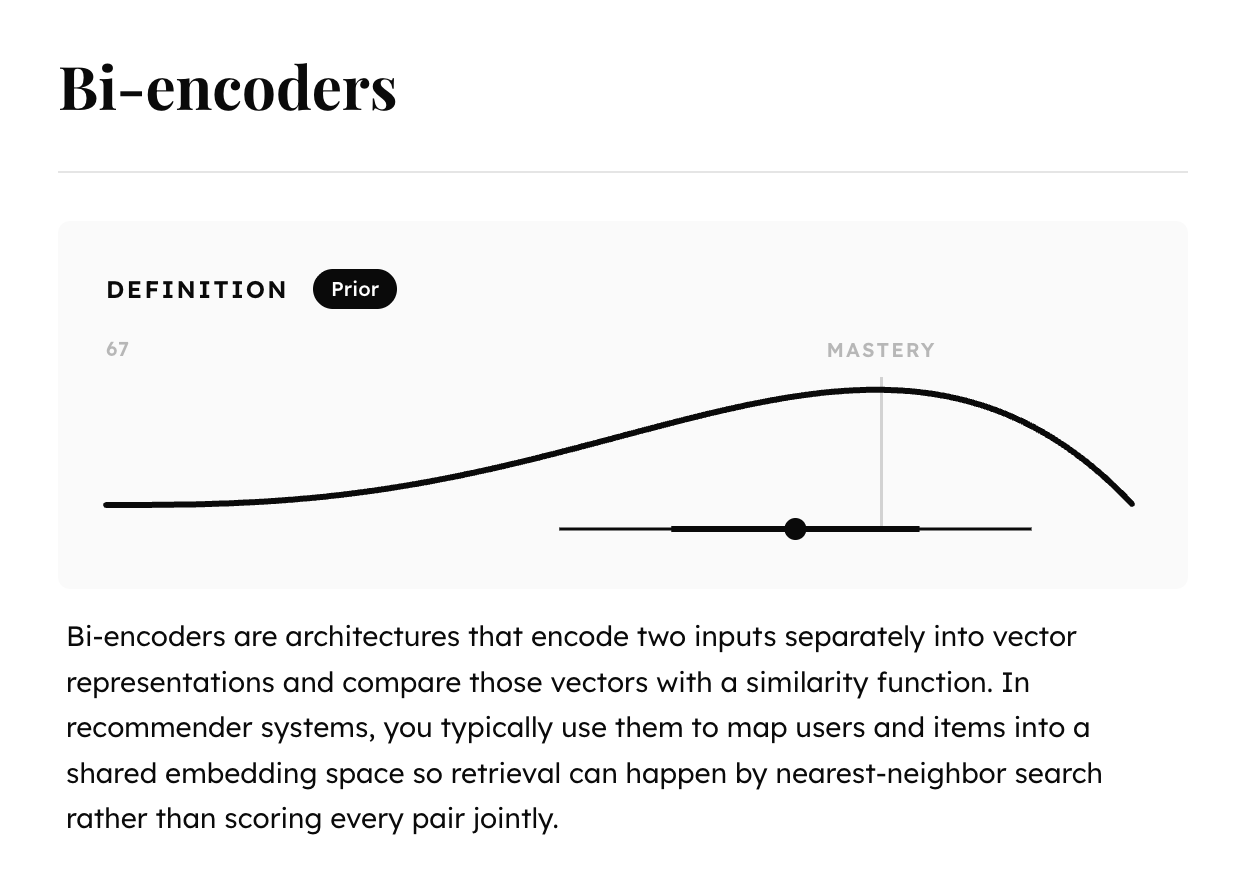
Your mastery page doubles as a reference guide. You can read the full content of all review cards for every concept — useful when you want to look up something specific without starting a session.
- See a concise overview of every dimension of every concept right next to the corresponding mastery distributions.
- Seach for any topic or concept to instantly surface the relevant mastery distributions.
Interview preparation
Go from recognition to fluency.
The Inferential provides thousands of carefully curated practice questions to help you hone your ability to reason carefully and communicate effectively — what interviews actually test. Available in Pro+.
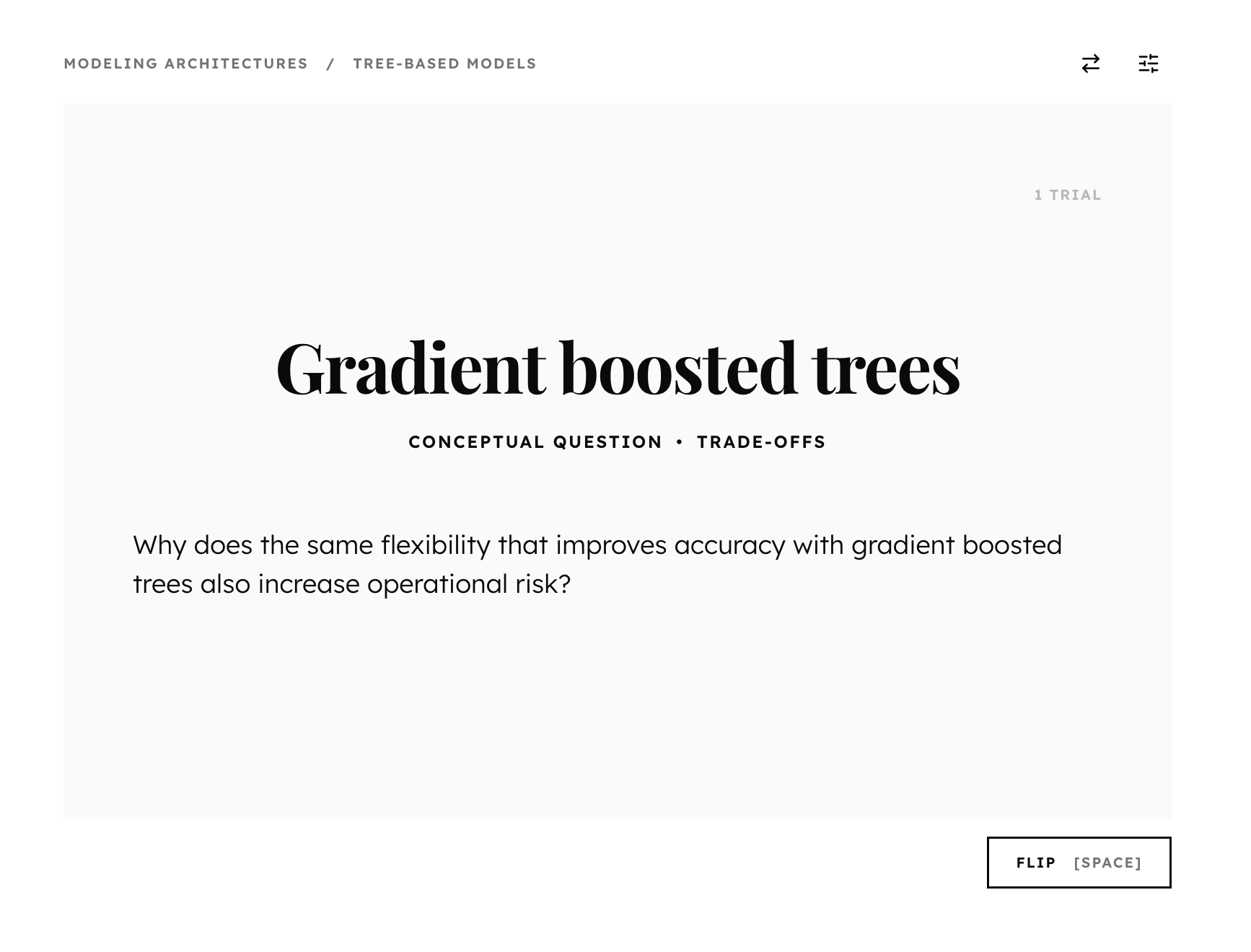
Conceptual questions
Test whether you can explain, compare, or reason about concepts. Conceptual questions prepare you to articulate your theoretical understanding — great preparation for technical interviews.
- There's one conceptual question for every dimension of every concept.
- Conceptual questions test your intuition and understanding of trade-offs, edge cases, failure modes, and misconceptions.
- Answering conceptual questions affects your mastery distributions — just like reviewing concepts does.
Scenario questions
Scenario questions ask you you articulate and defend a response to practical scenarios — like diagnosing a failing pipeline, choosing between architectures, and explaining a result to a stakeholder.
- There's one scenario question for every dimension of every concept.
- Scenario questions ask you to respond to claims by colleagues, to diagnose common production failures, and to weigh trade-offs.
- Answering scenario questions affects your mastery distributions — just like reviewing concepts does.
Recommended posts









Build Mastery
Review. Practice. Master.
Whether you want to stay sharp or prepare for interviews, The Inferential can help you improve your mastery of data science and machine learning concepts.
Get Started